Self-Hosting Plausible Analytics on a Debian Home Server

I stopped using Google Analytics a while ago. Not because I hate data, but because I hate surveillance. GA tracks people across the internet, builds profiles, and demands cookie banners. I run a blog, not a data collection operation.
The problem is, I still want to know what people read. Which posts land. Where readers come from.
Plausible Analytics solved that. It is minimal, open-source, and shows exactly the metrics I care about without tracking individuals. The managed version is paid, so I put the free Community Edition on my home server.
The Setup
My home server runs Debian 13. It sits in the corner of my house and quietly hosts small services. Plausible felt like a good fit for it.
The install is straightforward. The Plausible team maintains a Docker Compose setup:
You can follow the installation step here.
However, there are several changes required in Step 2 and Step 3 in the above installation step in order to expose the app through Cloudlfare Tunnel.
.env file (Changes)
# .env
BASE_URL=https://plausible.tekloon.net
SECRET_KEY_BASE="follow-the-command-to-generate"
HTTP_PORT=80
compose.override.yaml (Changes)
services:
    plausible:
        ports:
            - 8001:80
That spins up Plausible along with Postgres and ClickHouse. By default it listens on port 80 but I change it to port 8001.
Next, I used a Cloudflare Tunnel to expose my Plausible App to Internet.
Installing cloudflared
I grabbed the Debian package directly from GitHub:
curl -fsSL https://github.com/cloudflare/cloudflared/releases/latest/download/cloudflared-linux-amd64.deb -o cloudflared.deb
sudo dpkg -i cloudflared.deb
cloudflared --version
Creating the Tunnel
I did the rest in the Cloudflare Dashboard:
- Log in at dash.cloudflare.com and do a quick search Tunnel. It is under Networking section
- Create a tunnel and name it.
- The dashboard gives you a one-line command to install
cloudflaredas a system service. Mine looked something like:
sudo cloudflared service install <TUNNEL_TOKEN>I ran that on the Debian box. The tunnel registered itself.
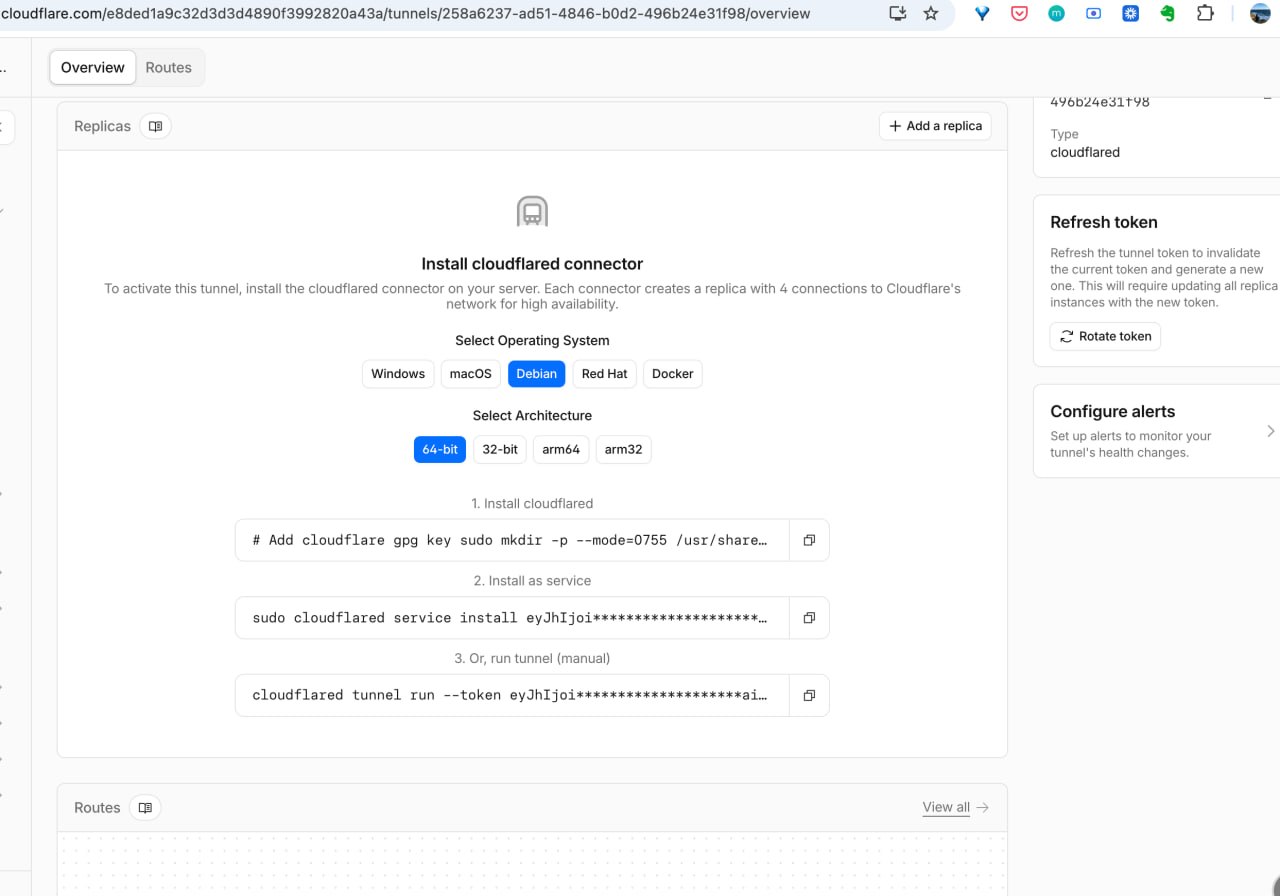
Next, we will have to connect our localhost:8001 (Plausible App) to our tunnel.
- Add a public hostname pointing to the local Plausible instance:
- Subdomain:
plausible - Service:
http://localhost:8001
- Subdomain:
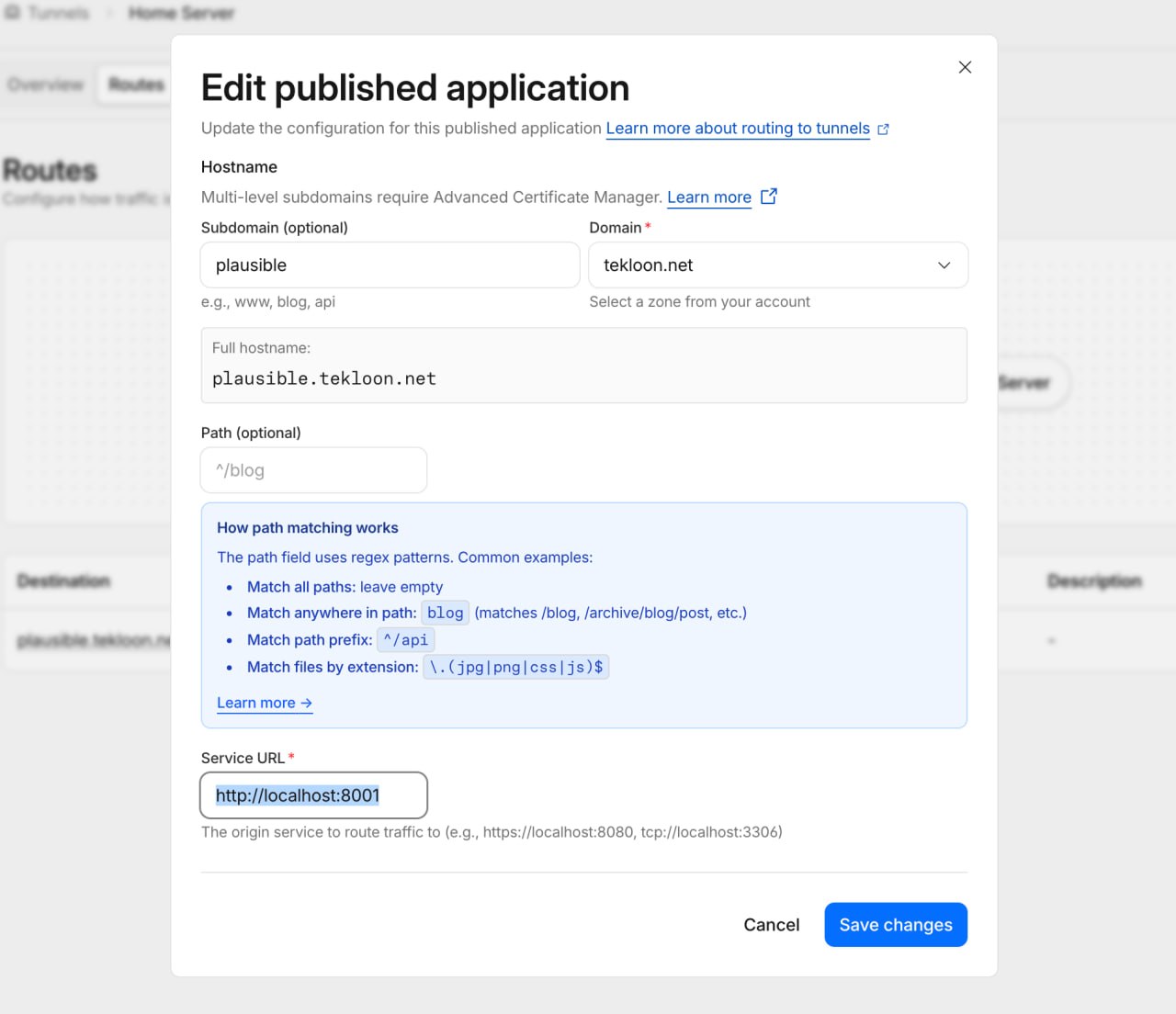
Cloudflare handles the DNS and HTTPS automatically. No certificates to manage. No router ports punched.
Plausible Account Setup
This is the final step where you would have to navigate to the subdomain you have configured and setup your account.
For the Community Edition, after you register it, the registration function will be disabled. So you don’t have to worry someone will use your instance.
What This Gives Me
Now I have a private analytics dashboard at a public URL. My blog sends traffic to it through a small tracking script. Visitors are never profiled. No cookies. No consent banners.
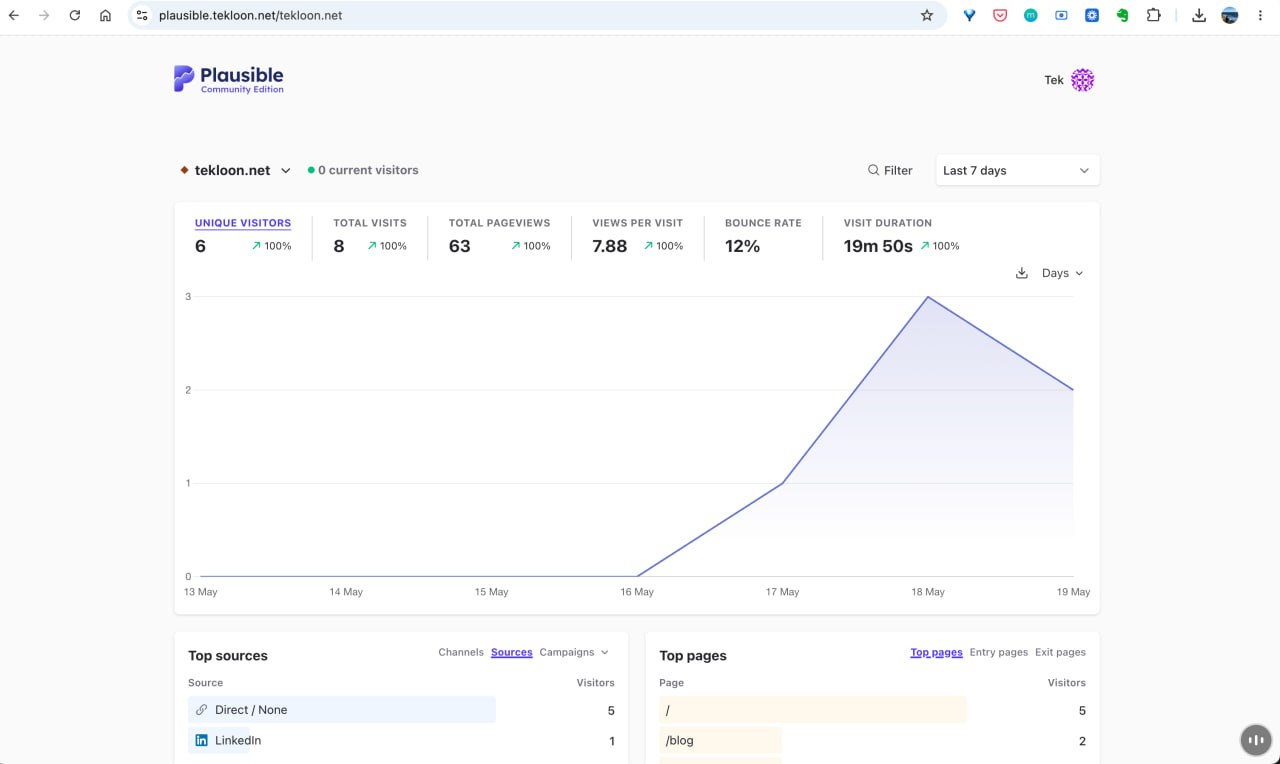
The metrics are sparse by design. Pageviews, referrers, browsers, countries. That is all I need. I open it maybe once a week, look at what is working, and close it.
The stack costs nothing but the domain. The server was already running. The tunnel is free. Plausible Community Edition is free.
This is how analytics should feel. Invisible to readers, useful to me, and owned by no one else.